Exam revision
Revise for exams from your lecture recordings.
Exam week with forty hours of recordings and no time to rewatch them is a common problem. Nuqtafy turns each lecture into notes and a quiz, so you revise from a few pages instead of a video.
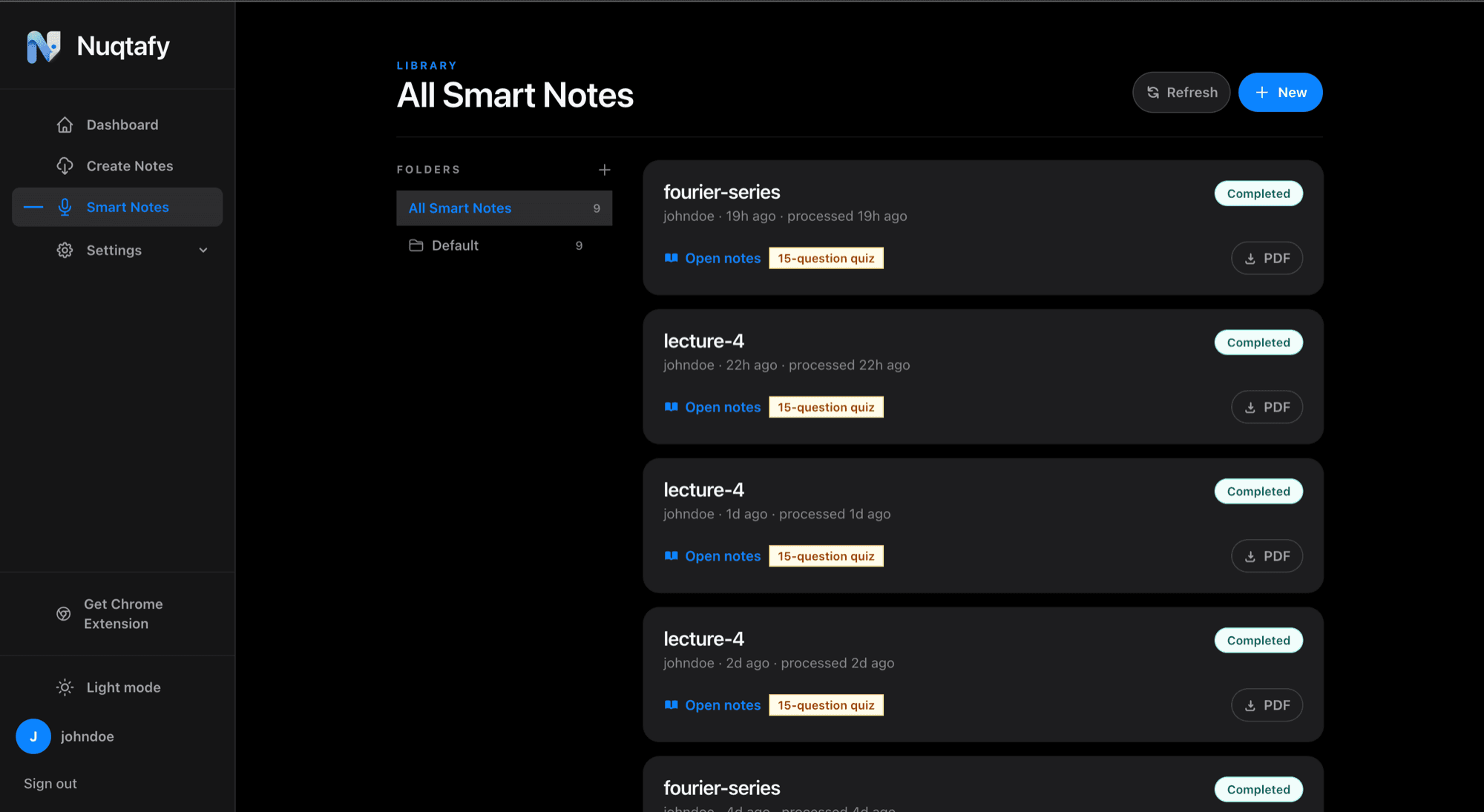
Replace rewatching with scanning
A recording makes you sit through every minute to find the one explanation you need. Nuqtafy's notes are organized by topic with headings, tables, and typeset math, so you can see the structure of the whole lecture in a minute and read the detail only where you need it.
One folder per course
Processed lectures live in a library with folders. Keep each course in its own folder and everything for that exam is in one place when revision starts.
Find your weak topics with a quiz
Each lecture has an auto-generated quiz with instant feedback. Your score points to the topics to review, which is the part most revision plans skip. Do the quiz first, then spend your time where it counts.
Study in the language you think in
Lectures can be in English, Urdu, or a mix of both. Pick English, Urdu, or Roman Urdu for the notes, whichever you read fastest the night before a paper. Download notes as a PDF to read offline.
How it works
- Upload each lecture as audio, video, a screen recording, or a PDF.
- Sort the finished notes into one folder per course.
- Take the quizzes and review the topics they flag.
Common questions
- Can I upload many lectures for one course?
- Yes. Each lecture is processed on its own, and the library with folders keeps a whole course together.
- Can I read the notes offline?
- Yes. Notes and quizzes can be downloaded as a PDF.
- What if the lecture mixes Urdu and English?
- That is supported. Nuqtafy understands the mix and you choose the language of the notes.
- How long does each lecture take to process?
- Usually a few minutes, depending on length. You can leave the page and find the notes in your library later.